OTel Transactions
If your application already uses OpenTelemetry or Micrometer tracing annotations, jvmguard can turn them into transactions without any further configuration. The “OTel” transaction type maps
io.opentelemetry.instrumentation.annotations.WithSpanon methodsio.micrometer.observation.annotation.Observedon methods and classes
Both annotations are often already present in applications that use OpenTelemetry or Micrometer, even if no
tracing backend is attached, because @WithSpan only takes effect with the OpenTelemetry agent or Spring starter
and @Observed only with Micrometer AOP on the classpath. jvmguard matches the annotations by name only, so they
do not have to be functional otherwise, and there is no overhead when they are not used.
The transaction recording settings contain a preconfigured OTel transaction definition on the “OTel” tab. Like any other transaction definition, it can be edited, reordered, discarded or deleted. If you delete it, it will not be recreated.
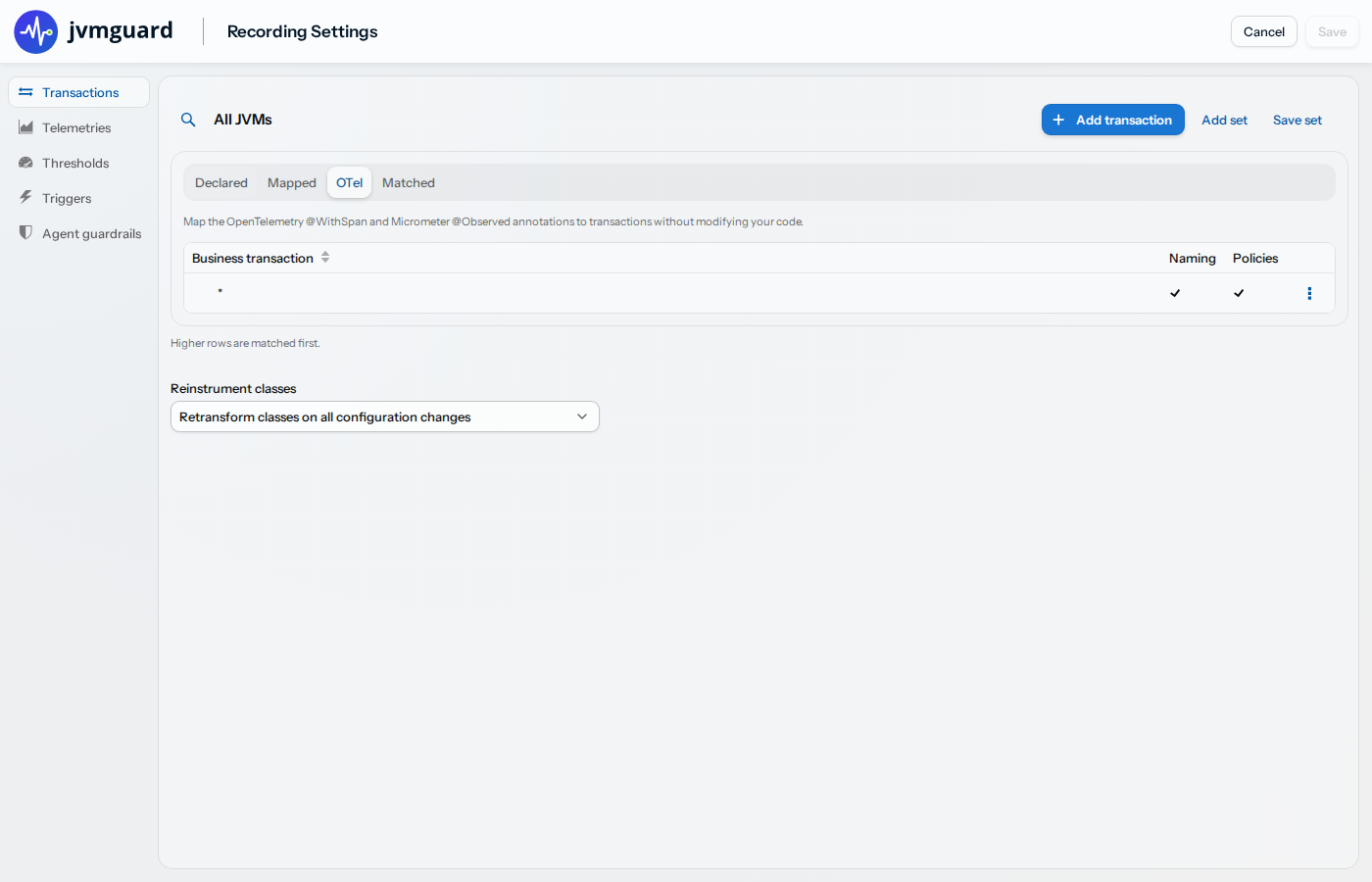
Naming
Section titled “Naming”By default, transactions are named after the span name attribute of the annotation (value for @WithSpan,
contextualName for @Observed). If the attribute is empty, the transaction is named ClassName.methodName,
which is also the default span name that OpenTelemetry itself uses. You can change the naming on the “Naming”
tab like for any other transaction definition.
Filtering by span name
Section titled “Filtering by span name”The “Filter” tab of the OTel transaction definition has a “Span name” field in addition to the class filter. Only annotations whose span name matches the configured wildcard or regular expression create transactions. Annotations without a span name attribute never match a span name filter.
Overlap with other transaction types
Section titled “Overlap with other transaction types”A method can carry several of the supported annotations. To avoid duplicate transactions, the following rules apply:
- If a method is annotated with
@MethodTransaction, only the Declared transaction is created. - If a method is annotated with both
@WithSpanand@Observed(directly or through a class-level@Observedon the enclosing class), only the@WithSpantransaction is created. - An annotation directly on the method takes precedence over a class-level
@Observedon the enclosing class.
Capture events as OTel log records
Section titled “Capture events as OTel log records”When a capture is taken (a heap dump, a thread dump, a JFR snapshot or a JProfiler recording) the agent emits an OTel log record through the logs bridge of the OpenTelemetry SDK in the monitored application, so the capture shows up in your existing OTel pipeline alongside traces. This works for captures fired by trigger actions as well as for captures taken manually in the UI or through the REST API.
The agent calls the OpenTelemetry API reflectively and does not require any particular setup. If the application does not have the OpenTelemetry API on its class path, nothing is emitted and a single note is written to the agent log.
The severity of the log record is derived from the policy event that fired the trigger: ERROR for error
events, WARN for very slow and overdue events, and INFO otherwise, including manual captures. The log
record carries the following attributes:
jvmguard.capture.type:heap_dump,thread_dump,jfr_snapshotorjprofiler_recordingjvmguard.capture.origin:triggerormanualjvmguard.vm.name: the name of the monitored VMjvmguard.trigger: the description of the trigger that fired the capturejvmguard.transaction.name: the transaction whose policy event last contributed to firing the triggerjvmguard.policy.event: the policy event type of that transaction, such asSLOWorVERY_SLOW
The last two attributes are only present for captures fired by policy triggers. Because a trigger can accumulate events from several transactions before it fires, they name the transaction that most recently added events, not necessarily the one that contributed the most.
To switch the emission off, uncheck “Emit capture events as OTel log records” in the trigger recording settings. The checkbox is only shown for the root group and applies to all JVMs.