Thresholds
Thresholds detect anomalous conditions for telemetries. Threshold violations are not directly coupled to any actions, they just increase an associated counter. Thresholds can be configured for single VMs or for VM groups. This is different from triggers that always operate on a VM group level rather than for single VMs.
For single VM thresholds, the telemetry value of each VM is checked, and for each offending VM a threshold violation is created. For example, you may have an upper bound on the used heap and each VM that uses more than that gets its own threshold violation.
For VM group thresholds, the telemetry value of the VM group is checked, and only one threshold violation is created no matter how many VMs violate the threshold individually. Imagine 10 VMs in a group where the heap usage rises on all of them. With a single VM threshold, all 10 VMs would report a threshold violation. In the end, you just want to react once, not ten times. In addition, the averaged group value is smoother, and fewer spurious threshold violations will occur than for single VM thresholds.
All telemetries that show frequency data are summed for VM groups. If you have 10 VMs that each handle 10 transactions per second, the VM group will show 100 transactions per second. If your acceptable range is defined for the total values rather than the loads on the single VMs, then you have to configure your threshold as a VM group threshold.
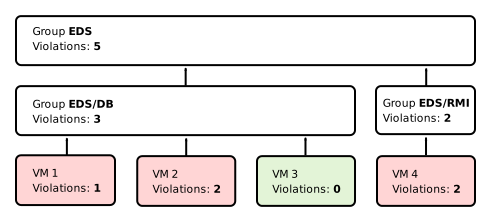
The counter is maintained on a per-VM level for single VM thresholds as well as on a VM group level. When a threshold violation occurs, it bubbles up through the parent hierarchy, increasing all the associated counters by one. At each VM group in that hierarchy, you can define triggers that react to the corresponding number of threshold violations.
Configuration
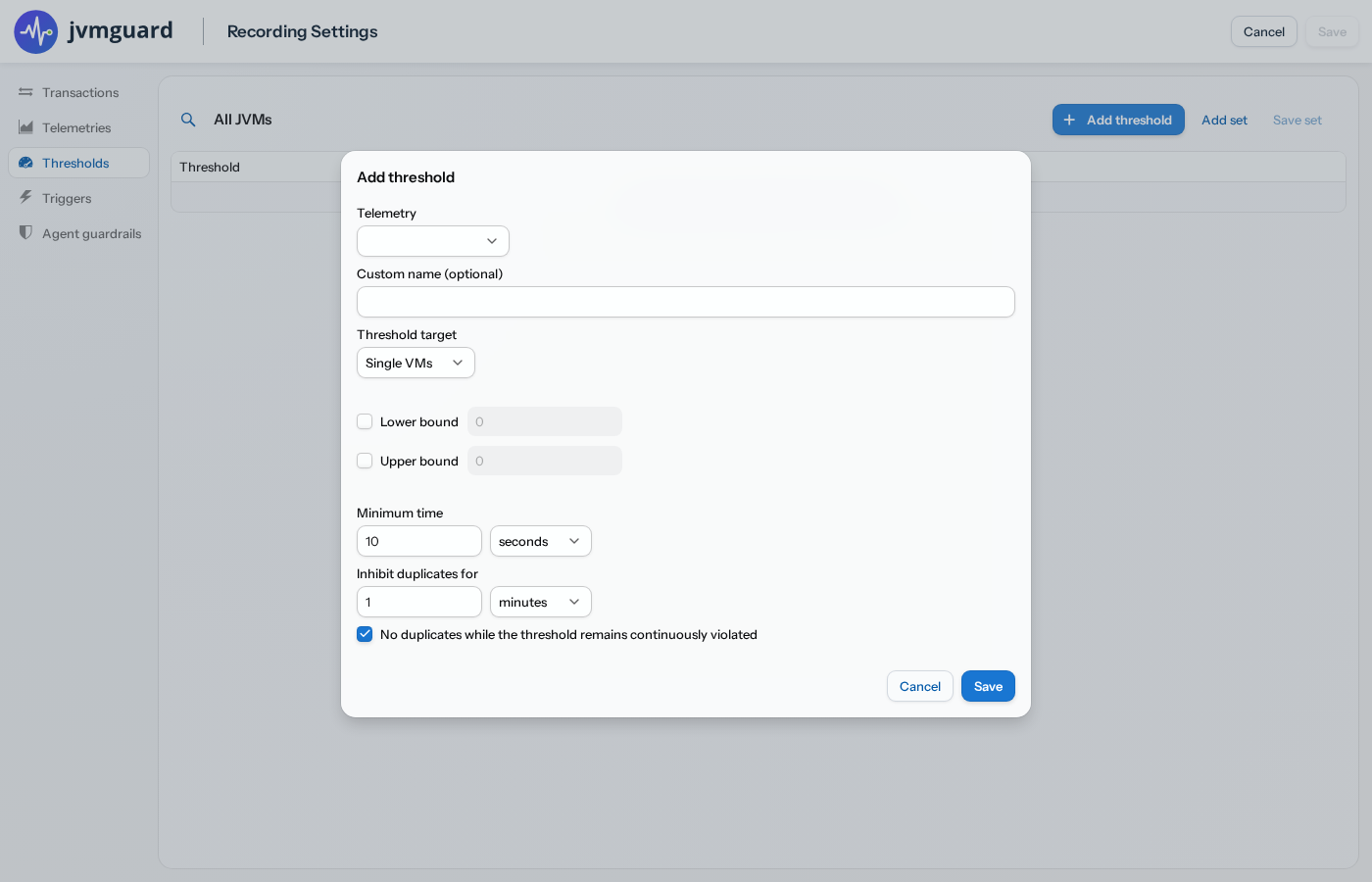
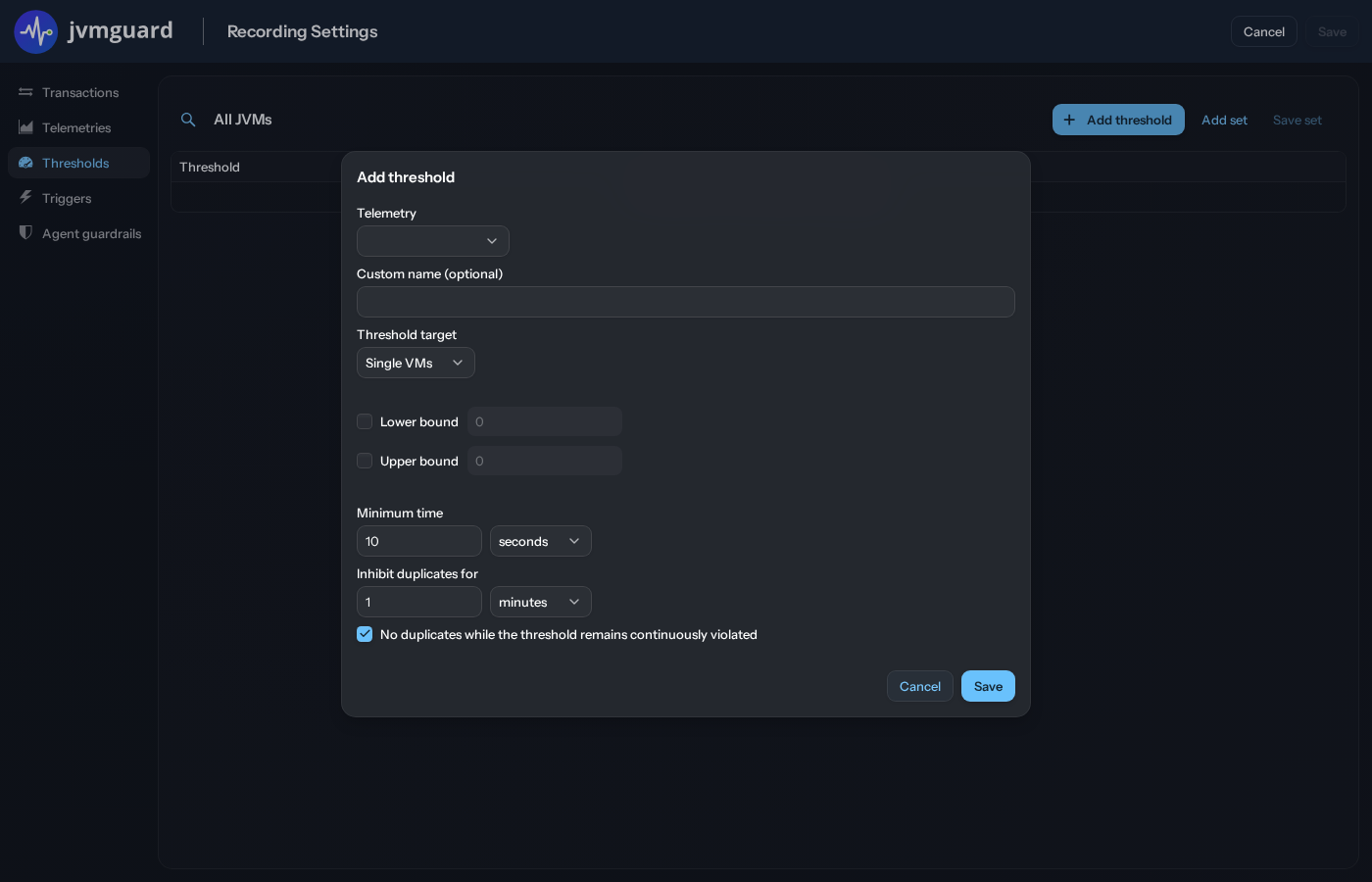
Section titled “Configuration”You can define thresholds for each telemetry in the recording settings of a VM group. A threshold definition has an associated telemetry and optional lower and upper bounds. The available units depend on the selection of the telemetry.
In some cases, you need multiple threshold definitions for the same telemetry, for example, to designate different severities. In that case, you have to give the thresholds different custom names, like “High heap usage” and “Very high heap usage”. These definitions can be used as the basis for triggers with different escalation strategies.
To avoid spurious firing of threshold violations, a minimum time can be configured for which the bounds have to be exceeded before a threshold violation is detected. After a threshold has fired, there is an inhibition time, during which the threshold is muted and cannot fire again. This serves to prevent frequent firing in the case of oscillating conditions.
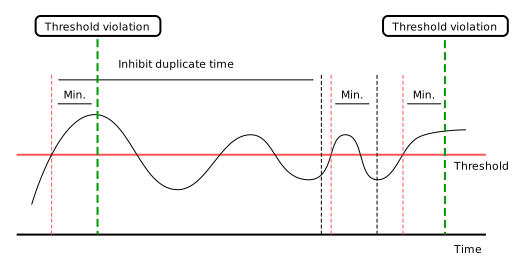
If the threshold is continuously violated, jvmguard will not fire any more threshold violations during that time. There is a checkbox to disable this constraint. If disabled, new threshold violations will be fired at a constant rate with a period of the configured inhibition time.
Like for transactions, you can save and load sets of thresholds. This makes it possible to copy and paste threshold definitions between VM group configurations.